

Create a Custom Music List for Friends: 2026 Guide
July 2, 2026
Create a Custom Music List for Friends: 2026 Guide
A custom music list is a curated collection of songs built around a specific mood, occasion, or group of people. When you create a custom music list for friends, you transform a solo listening habit into a shared experience that reflects everyone’s taste. Platforms like Spotify, Apple Music, and AI playlist generators have made this easier than ever. The result is more than a playlist. It becomes a living record of shared moments, inside jokes, and collective memory that keeps growing every time someone adds a track.
What tools let you create a custom music list with friends?
The three strongest platforms for building a collaborative music playlist right now are Spotify, Apple Music, and AI-powered generators like TuneMyMusic.
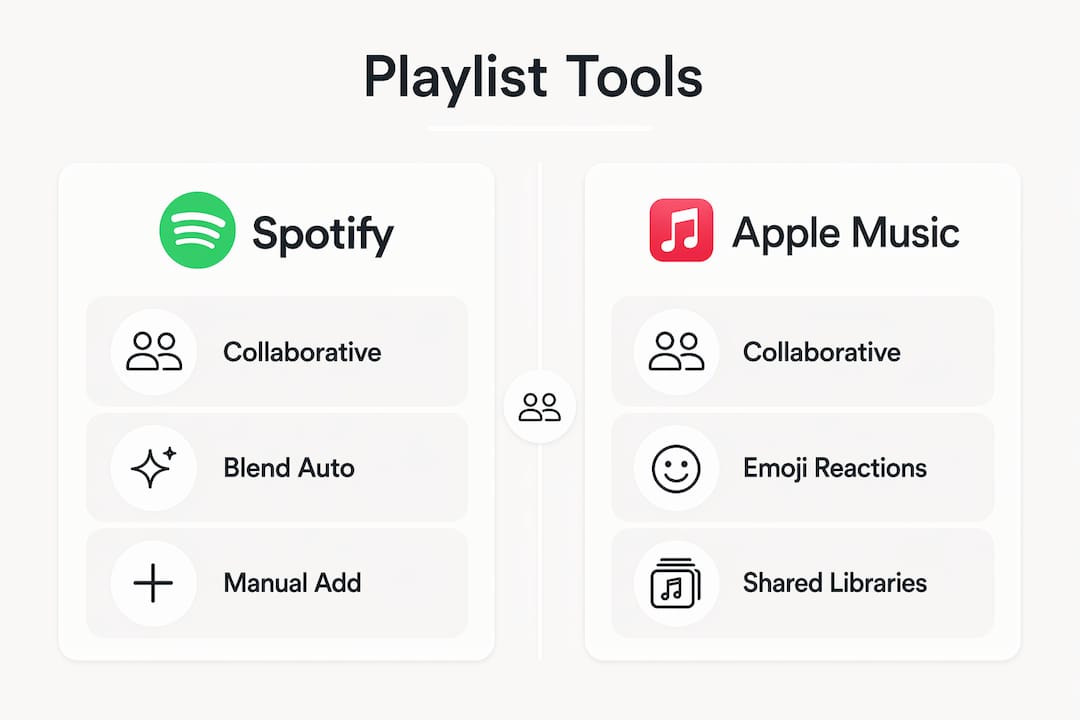
Spotify offers two distinct collaboration modes. Standard collaborative playlists let any invited friend add, remove, or reorder songs. Spotify Blend goes further. Blend supports up to 10 users and updates automatically every day based on what everyone in the group has been listening to. That daily refresh means the playlist never goes stale, even if nobody manually adds a song.
Apple Music launched full collaborative playlist support with emoji reactions, so friends can respond to specific tracks without sending a separate text. The reaction layer adds a social dimension that feels closer to a group chat than a music app.
AI playlist generators represent the biggest shift in how people build personalized music playlists. Tools like TuneMyMusic connect to your listening history and generate playlists from text prompts. AI tools using listening history produce far more relevant results than generic mood selectors. The output is a playlist that actually sounds like you, not a generic radio station.
| Platform | Collaboration Style | Standout Feature |
|---|---|---|
| Spotify Collaborative | Manual additions by all members | Real-time song additions |
| Spotify Blend | Auto-updated daily | Merges group listening habits |
| Apple Music | Manual with reactions | Emoji responses on tracks |
| TuneMyMusic | AI prompt-based generation | Listening history integration |
Pro Tip: If your friend group spans both Spotify and Apple Music, cross-platform transfer tools like TuneMyMusic or Soundiiz let everyone access the same list regardless of which app they use.
How do you set up and share a playlist step by step?
The process differs slightly by platform, but the core steps follow the same logic: create, enable sharing, invite, and manage.
On Spotify:
- Open Spotify and tap “Your Library,” then the plus icon to create a new playlist.
- Name the playlist and add your first songs.
- Tap the three-dot menu and select “Invite Collaborators.”
- Share the generated link via text, group chat, or social media.
- Anyone with the link can join and add songs immediately.
Note that share links expire after 7 days unless you manually disable the expiration. Send a fresh link if a friend joins late.
On Apple Music:
- Create a new playlist in the Library tab.
- Tap the three-dot menu and choose “Collaborate.”
- Set permissions to “Anyone with the link” or restrict to specific contacts.
- Share the link and let friends add songs and react with emojis.
Using an AI playlist generator:
- Connect your Spotify or Apple Music account to a tool like TuneMyMusic.
- Write a prompt that describes your group’s vibe. Be specific.
- Structure prompts in three layers: the goal (road trip energy), structural constraints (120 BPM minimum, 2010s era), and explicit inclusions or exclusions (no ballads, must include Kendrick Lamar).
- Review the generated list, remove anything that doesn’t fit, and export it to your streaming platform.
- Share the final playlist link with your group.
Pro Tip: Writing prompts with multiple layers of mood, structure, and content dramatically improves what AI tools produce. A vague prompt like “fun songs” returns generic results. A layered prompt returns something your group will actually want to hear.
What are the best practices for a group playlist that actually works?
The biggest reason collaborative playlists fall apart is not bad taste. It is the absence of rules. Collaborative playlists become shared memory scrapbooks only when every contributor feels heard and respected. That requires structure from the start.
Set your Golden Rules before anyone adds a single song:
- No deleting other people’s songs. Ever.
- Each person adds no more than 5 songs per day.
- No back-to-back additions from the same contributor.
- Pin the playlist link in your group chat so nobody loses access.
- Pinning links and setting contribution limits prevents the playlist from becoming one person’s solo project.
Beyond rules, think about structure. A great music playlist for friends has shape, not just volume. Open with familiar, crowd-pleasing tracks to get everyone nodding. Build energy through the middle. Drop in a throwback section that triggers nostalgia. Close with something mellow if the occasion calls for it.
For road trips specifically, 60–100 songs covers a 4–6 hour drive without repeating. That range keeps the music fresh without requiring constant management. Anything shorter risks repetition. Anything longer becomes unmanageable to curate well.
“Allowing every group member to contribute music transforms the playlist into a living digital scrapbook, enhancing the social value beyond just playback.” — Collaborative Playlist on Spotify
Rotate who picks the opening track each session. It sounds small, but it signals that the playlist belongs to everyone equally. That sense of ownership is what keeps people engaged long after the initial excitement fades.
How do you fix common problems in shared playlists?
Even well-organized group playlists run into friction. Most problems fall into three categories: access issues, cross-platform conflicts, and content disputes.
Access and link problems are the most common. If a friend cannot join, the share link has likely expired. Spotify collaborative links expire after 7 days by default. Regenerate the link and resend it. Make it a habit to pin the current link in your group chat every time you refresh it.
Cross-platform conflicts happen when your group uses different streaming services. The fix is a transfer tool. Playlist transfer apps like TuneMyMusic or Soundiiz convert your Spotify playlist to Apple Music format and vice versa. The process takes under two minutes and removes the “I don’t have Spotify” excuse entirely.
Content disputes are trickier because they are social, not technical. The best prevention is the contribution limit rule mentioned above. If someone floods the playlist with 40 songs overnight, the group loses the collaborative feel. A moderator role, assigned to one trusted person, helps keep things balanced without creating resentment.
Offline playback issues catch people off guard at the worst moments. Downloading the playlist offline before a road trip or event protects against dead zones and spotty Wi-Fi. Both Spotify Premium and Apple Music support offline downloads. Do this the night before, not in the parking lot.
Pro Tip: Assign one person as the playlist moderator for any event-specific list. Their job is not to control the music. It is to remove duplicates, fix the song order, and make sure the offline download is current before the event starts.
Key takeaways
A collaborative playlist works best when it combines the right platform, clear contribution rules, and at least one person managing the technical side before the event begins.
| Point | Details |
|---|---|
| Choose the right platform | Spotify Blend auto-updates daily; Apple Music adds emoji reactions for social engagement. |
| Use AI for better curation | Connect your listening history to AI tools like TuneMyMusic for more relevant, personalized results. |
| Set contribution rules early | Limit daily additions per person and prohibit deletions to keep the playlist balanced. |
| Plan playlist length by occasion | Aim for 60–100 songs for a 4–6 hour event to maintain energy without repetition. |
| Download offline before events | Pre-download the playlist to avoid streaming interruptions from poor network coverage. |
Why the best playlists i’ve heard were never perfect
The most memorable collaborative playlist I was ever part of had a Celine Dion song sandwiched between two Kendrick Lamar tracks. Nobody planned it. Nobody removed it. And somehow, it became the moment everyone talked about for weeks.
That experience taught me something most playlist guides miss. The goal of a music playlist for friends is not sonic perfection. It is representation. When your friend from Texas adds a George Strait deep cut and your college roommate follows it with a Charli XCX track, the playlist stops being a playlist. It becomes a portrait of your group.
The platforms matter less than people think. Spotify Blend is genuinely impressive, and Apple Music’s emoji reactions are more fun than they have any right to be. But the technology is just infrastructure. The real work is creating an environment where everyone feels comfortable adding something unexpected.
AI tools are changing this dynamic in ways I find genuinely exciting. AI-powered curation is shifting from one-time manual builds to repeatable, rule-driven workflows. That means you can generate a solid starting point in minutes and let your friends shape it from there. The AI handles the structure. Your group handles the soul.
My one warning: do not let the tool do all the work. The best collaborative playlists I have seen always have at least a few songs that someone fought for. Those are the ones people remember.
— Jorel
Discover new music to add to your next group playlist
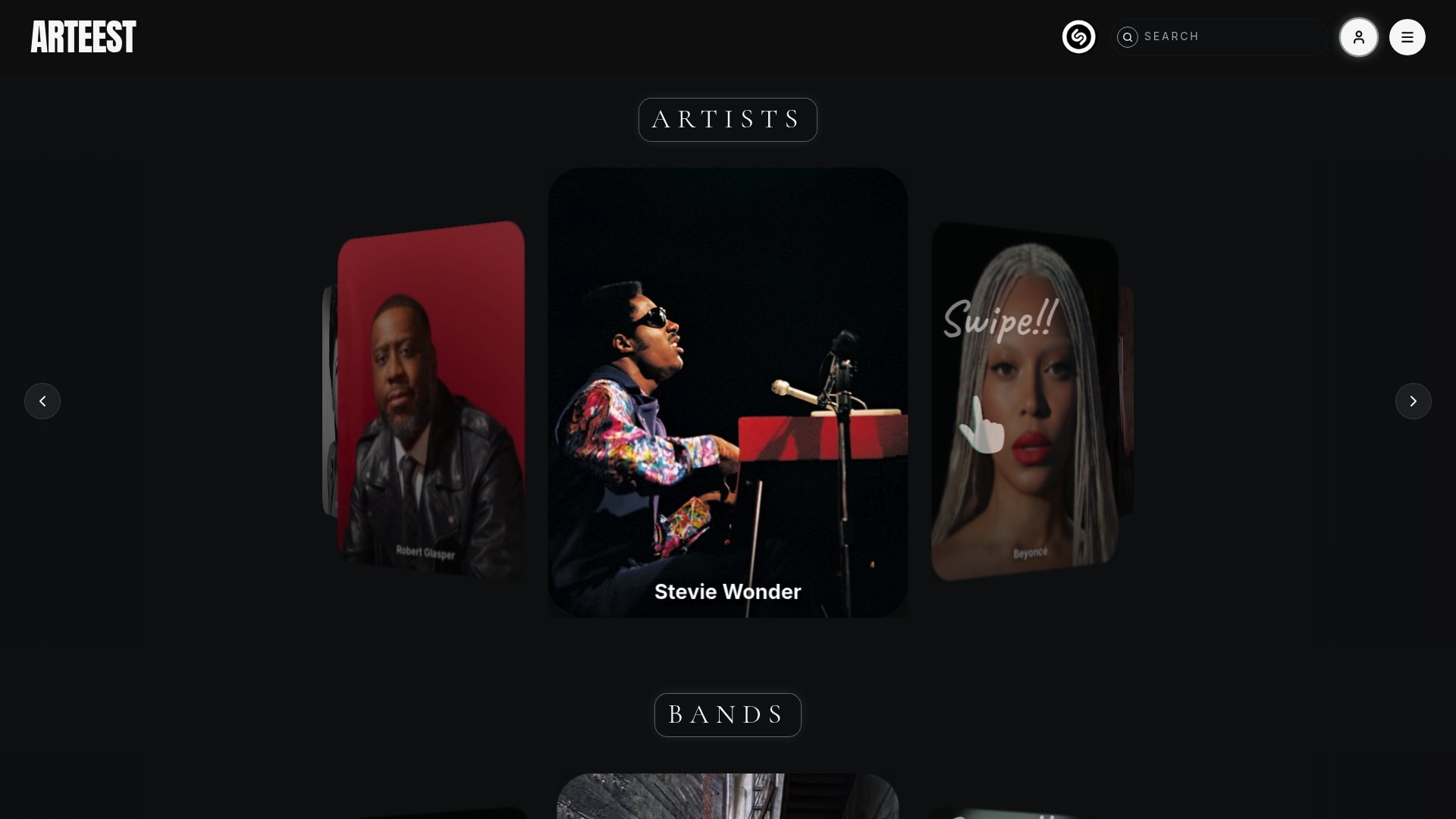
Finding the right songs is half the battle when you build a shared list with friends. Arteest is a premium music discovery platform where thousands of artists, bands, record labels, producers, and engineers each have their own page showing their complete career chronologically. You can browse by genre on Arteest, build personal collections, and export shareable lists as PNG or .mov files to send directly to your group chat or post to socials. Whether you are hunting for a deep cut from Alanis Morissette or discovering something new from Armin van Buuren, Arteest gives your next collaborative playlist a serious head start. Start exploring on Arteest and bring something worth fighting for to your group’s next session.
FAQ
What is a custom music list for friends?
A custom music list for friends is a curated playlist built collaboratively, where multiple people contribute songs that reflect the group’s shared taste or a specific occasion. Platforms like Spotify and Apple Music both support this with built-in collaboration features.
How do i make a collaborative playlist on spotify?
Create a playlist, tap the three-dot menu, and select “Invite Collaborators” to generate a shareable link. Spotify Blend supports up to 10 users and updates the playlist automatically every day based on group listening habits.
How long should a shared playlist be for a road trip?
60–100 songs is the recommended range for a 4–6 hour road trip. That length keeps the music varied without requiring constant attention from the group.
Can friends on different streaming services share the same playlist?
Yes. Cross-platform transfer tools like TuneMyMusic and Soundiiz convert playlists between Spotify, Apple Music, and other services in minutes, so everyone can access the same list regardless of their preferred app.
How do AI playlist generators improve group playlists?
AI tools generate playlists from text prompts and improve results by integrating your listening history. Structuring prompts with goal, constraints, and inclusions produces far more relevant output than a simple mood description, giving your group a strong starting point to build from.