

Filterable Music Browsing: A Guide for Music Lovers
July 2, 2026
Filterable Music Browsing: A Guide for Music Lovers
Filterable music browsing is defined as an interface feature that lets you narrow a large music catalog by applying metadata filters such as genre, mood, tempo, duration, and instrumentation. The industry term for this practice is “faceted search,” and it sits at the core of every serious music discovery platform. Rather than scrolling through thousands of tracks, you set specific criteria and the catalog returns only what matches. Filters are powerful discovery aids, but audio industry experts caution that they do not confirm licensing or legal clearances even when combined with pre-cleared libraries. Arteest is built on this principle, giving music lovers a metadata-rich environment to find, collect, and share music with precision.
What is filterable music browsing and how does it work?
Filterable music browsing works by reading the metadata attached to each track and returning only the results that match your selected criteria. Effective filtering can reduce thousands of tracks to a shortlist that meets multiple criteria simultaneously, such as mood, BPM, and duration. That reduction is the whole point. Without filters, a catalog of even 10,000 tracks becomes practically unsearchable by feel alone.
The technical backbone is metadata tagging. Every track carries embedded data fields: genre classification, tempo in beats per minute, key signature, mood label, vocal presence, featured instruments, and release date. Platforms read those fields and match them against your filter selections. The accuracy of your results depends entirely on how complete and consistent those tags are.

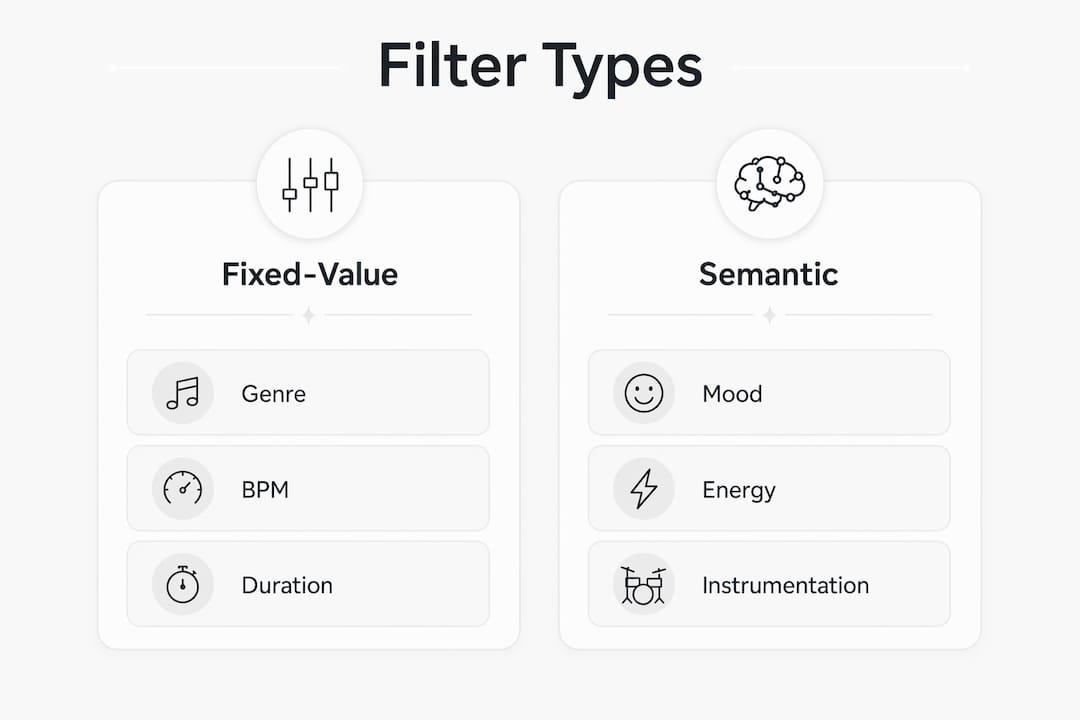
Filter types split into two categories. Fixed-value filters query a specific numeric or boolean field, such as BPM range or track duration. Categorical filters match against text tags, such as genre or mood labels. Combining both types is where the real power appears. A search for “upbeat electronic tracks between 120 and 128 BPM, under three minutes, with no vocals” is a multi-criteria fixed-value query that no keyword search can replicate.
| Filter category | What it queries | Common use case |
|---|---|---|
| Genre | Categorical tag (e.g., jazz, hip-hop) | Building genre-specific playlists |
| Mood | Categorical tag (e.g., melancholic, energetic) | Matching music to a scene or activity |
| BPM / Tempo | Numeric range | Finding tracks for workout or video sync |
| Duration | Numeric range | Fitting music to a fixed time slot |
| Vocals | Boolean or categorical | Separating instrumental from vocal tracks |
| Instruments | Categorical tag | Sourcing tracks with specific sonic textures |
| Release date | Date range | Browsing by era or decade |
Pro Tip: Stack at least three filter types at once. Genre alone returns too broad a set. Adding mood and BPM together cuts results to a genuinely useful shortlist.
How does AI-driven filtering improve on traditional music search?
Traditional metadata filtering is deterministic. You query a fixed field and get an exact match. Semantic filtering uses AI embedding models to match moods and themes rather than exact tag strings. That technical difference changes what you can ask for.
Embedding models such as CLAP and MuQ-MuLan convert both audio and text into numerical vectors. When you type “happy anime song” or “melancholic indie rock with rain sounds,” the model finds tracks whose audio characteristics sit close to that description in vector space. No tag needs to say “rain sounds” explicitly. The model infers the match from the audio itself.
The practical benefits over tag-only filtering are real:
- Ambiguous moods: Tags like “chill” mean different things to different people. A semantic model interprets the query in context rather than matching a single label.
- Broad themes: A query like “music that feels like a late-night drive” has no direct tag equivalent. Semantic search handles it naturally.
- Cross-language queries: Embedding models work across languages, so a query in English can surface tracks tagged in other languages.
- Reduced tag dependency: Tracks with sparse metadata still appear in results if their audio matches the query.
- Combined queries: Semantic embedding models let you combine category filters with natural language, greatly outperforming traditional keyword filters alone.
The challenge is that AI filtering requires significant computational infrastructure and high-quality audio data for training. Results can also feel less predictable than deterministic filters, which frustrates music lovers who want exact control. The best platforms combine both approaches: use metadata filters for precision, then layer semantic search on top for discovery.
Why does metadata quality determine your filter results?
Metadata quality is the single biggest variable in filterable browsing. Poor or inconsistent tags limit filtering effectiveness directly, regardless of how good the filter interface is. A track tagged only with “rock” and nothing else will never appear in a BPM or mood filter result.
The problem is widespread. Metadata standards differ across platforms. A track on one service may carry 15 detailed fields. The same track on another service may carry only title, artist, and genre. Multi-provider metadata aggregation solves this fragmentation by pulling data from sources like Tidal, Deezer, and MusicBrainz into a unified record. The result is a more complete tag set that makes filters actually work.
Power users address metadata gaps before they browse. Automatic scanning tools read audio files and generate missing tags based on audio analysis. BPM detection tools, key detection tools, and mood classifiers can fill in fields that were never manually entered. Enriching metadata before indexing is the standard practice among serious collectors and music supervisors.
Arteest approaches this at the platform level. Every artist, band, record label, producer, and engineer on the platform has a dedicated page with a chronological career view. That structure enforces consistent metadata across the catalog, so your filters return reliable results rather than random gaps.
Pro Tip: Before relying on any filter result, check a few tracks manually. If the metadata looks thin, the filter is showing you a subset of what actually exists in the catalog.
How can music lovers use filterable browsing to discover and organize music?
Filterable browsing is most powerful when you treat it as a layered system rather than a single search. Start broad, then narrow. A genre-based filter gives you a starting pool. Adding mood and tempo cuts that pool to something you can actually listen through.
Building dynamic lists from filter results
Static playlists go stale. Tag-based Smart Lists auto-update as new tracks enter the catalog that match your criteria. Set a Smart List for “jazz releases from the last two years, tempo under 100 BPM, instrumental only” and it stays current without manual curation. Experts recommend combining Spaces, Tags, and Smart Lists rather than relying on folder structures, because hierarchy-free tag filtering outperforms static folders for large collections.
A practical workflow for music discovery
- Choose a starting filter. Pick genre or era as your anchor. On Arteest, browsing all artists by genre gives you an immediate structured entry point.
- Add a mood or energy filter. Narrow the genre pool by how you want the music to feel. “Energetic” and “melancholic” pull in opposite directions within the same genre.
- Set a BPM or duration range. This is especially useful when you need music for a specific purpose, like a workout playlist or a video with a fixed runtime.
- Apply a vocal filter. Instrumental tracks and vocal tracks serve different contexts. Separating them early saves time.
- Save the filter set as a list. Export or save the result so you can return to it or share it.
Sharing filtered lists
Sharing is where filterable browsing becomes social. Arteest lets you export your filtered collections and custom lists as PNG or .MOV files to share directly to social media or send to friends by text. That turns a personal discovery session into a shareable artifact. A filtered list of “best ambient electronic releases from the 1990s” becomes a recommendation you can send in seconds.
For music supervisors and content creators, duration filters are especially practical. Filtering for tracks between 2:30 and 3:00 minutes that match a specific mood is a standard workflow for film and television music selection. The filter does in seconds what manual browsing takes hours to accomplish.
Key takeaways
Filterable music browsing works because metadata quality, filter precision, and AI-enhanced semantic search together determine how well any catalog surfaces the right track for the right moment.
| Point | Details |
|---|---|
| Filters rely on metadata | Incomplete or inconsistent tags directly limit what any filter can return. |
| Combine filter types | Stacking genre, mood, and BPM together produces far more useful results than any single filter. |
| AI extends filter reach | Semantic embedding models handle ambiguous queries that fixed metadata tags cannot match. |
| Dynamic lists beat static folders | Tag-based Smart Lists stay current automatically; folder structures require constant manual upkeep. |
| Filters are not licensing tools | Filter results confirm musical fit, not legal clearance for commercial use. |
Why I think most music lovers are using filters wrong
I have spent years watching music lovers treat genre as the only filter that matters. They pick “hip-hop” or “jazz” and then scroll. That is not filterable browsing. That is alphabetical browsing with a genre label on top.
The real shift happens when you start combining tempo, mood, and duration at the same time. A 128 BPM house track and a 128 BPM drum and bass track feel completely different. BPM alone tells you nothing useful. Mood alone is too vague. But “128 BPM, energetic, no vocals, under four minutes” gives you a shortlist you can actually work with in under a minute.
The other mistake I see constantly is ignoring metadata quality. Music lovers find a filter, run it, get thin results, and conclude the catalog is small. The catalog is often fine. The metadata is the problem. Checking a few tracks manually before trusting a filter result takes 30 seconds and saves a lot of frustration.
The future I find genuinely exciting is unified cross-provider filtering. Right now, your favorite track might be tagged differently on three different platforms. Multi-provider metadata aggregation, the kind that pulls from MusicBrainz and multiple streaming sources simultaneously, will eventually make that fragmentation invisible. When that infrastructure matures, filterable browsing will feel less like a search tool and more like a conversation with the catalog.
— Jorel
Arteest and the filterable browsing experience
Arteest is a premium music discovery platform built around the idea that every artist deserves a complete, chronological record of their career, and every music lover deserves tools to find exactly what they are looking for.
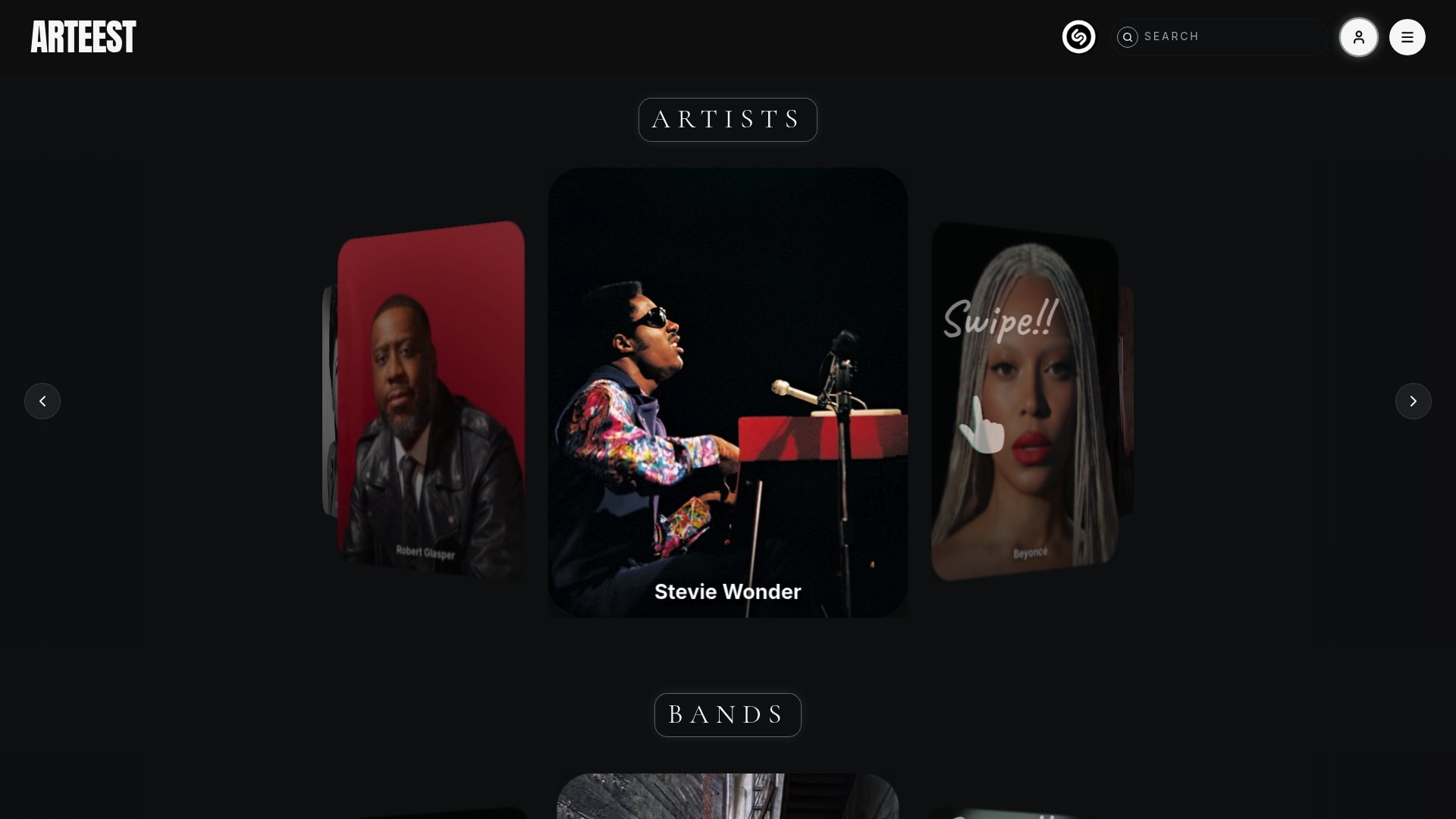
The platform covers thousands of artists, bands, record labels, producers, and engineers, all with dedicated pages and consistent metadata. You can filter by genre, browse by era, and build personal collections organized into bins and lists. Every filtered list you create can be exported as a PNG or .MOV file and shared directly to social media or sent to friends. Whether you are building a mood playlist, researching an artist’s full catalog, or curating a shareable list for a group chat, Arteest gives you the metadata depth and sharing tools to do it well.
FAQ
What is filterable music browsing?
Filterable music browsing is a faceted search feature that lets you narrow a music catalog by applying metadata filters such as genre, mood, BPM, duration, and instrumentation. It reduces large catalogs to a precise shortlist based on multiple criteria at once.
What are examples of filterable music lists?
Examples include a playlist filtered by “jazz, instrumental, under 100 BPM” or a list of “energetic electronic tracks between 120 and 128 BPM with no vocals.” These lists update dynamically when built as Smart Lists tied to filter criteria.
Does a filter result confirm a track is licensed for use?
No. Filters confirm musical fit, not legal clearance. Audio industry experts caution that filter results should never be treated as licensing confirmation, even on platforms that include pre-cleared libraries.
How does AI improve music filtering?
AI embedding models like CLAP and MuQ-MuLan convert audio and text into vectors, allowing natural language queries such as “melancholic indie rock” to surface tracks that match the feeling rather than just the tag. This handles ambiguous moods and sparse metadata far better than traditional tag matching.
Why do my filter results sometimes look incomplete?
Incomplete filter results almost always trace back to missing or inconsistent metadata. Enriching tags before indexing using automatic scanning tools is the standard fix, and checking a few tracks manually helps confirm whether the filter or the metadata is the limiting factor.